Fix Missing Series
Book Report’s Series Tab tries to avoid showing your misleading data. There is one situation that results in Book Report excluding entire series. If this has happened for you, you can follow the steps below to get the series to show up.
Why Does This Happen?
The Series Tab does a lot of math based on the number of times a book has been bought, borrowed, or given away. For books that are in KDP Select, we need to estimate the number of borrows. We make this estimate by dividing the number of page reads a book has received by the number of pages it contains, a figure called KENPC (Kindle Edition Normalized Page Count).
A series will be excluded when it has page reads on a book that doesn’t have a KENPC value.
This happens most often for series that were in KU but have since gone wide. When a book is taken out of KDP Select, it’s official KENPC is removed from KDP, so we can no longer detect the book’s length. Since we can’t detect KENPC, we can’t estimate borrow numbers, which means we can’t estimate the overall unit numbers that both read-through and earnings per-reader are based on.
By entering an estimate of KENPC on the Books Tab, you can get the series to appear on the Series tab.
How to Fix a Missing Series
1. Confirm which books are missing their KENPC.
At the bottom of the Series Tab, you’ll see a warning like this one:
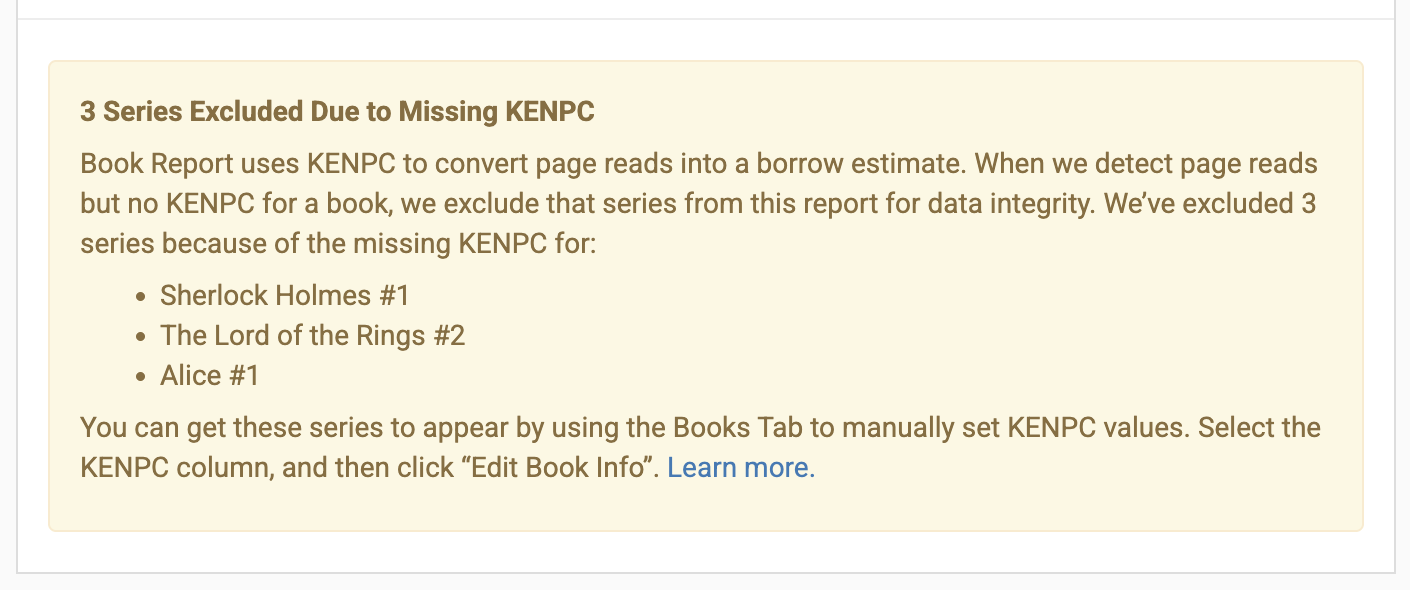
It will list all the series that have been excluded, and which book in the series has trigger the exclusion. Note the books in the list - once all of them have a KENPC set, all your series will appear.
2. Go to the Books Tab
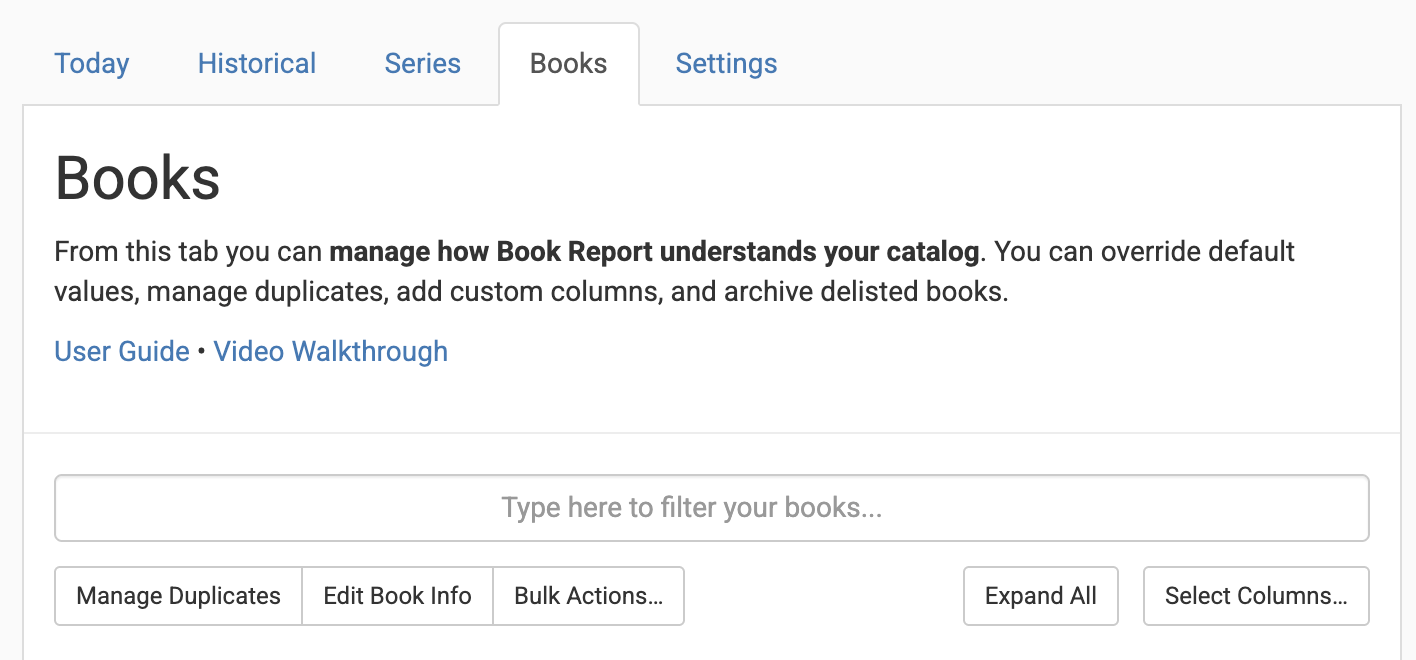
At the top of Book Report, click the “Books” tab.
3. Select the Columns
Click the “Select Columns” button, and enable the following columns:
- Series
- Series Position
- KENPC
You can disable all the other columns for now.
4. Edit the KENPC Values
Find the book that you noted in Step #1. Click the “Edit Book Info” button, and then click the pencil icon in the KENPC column. Enter your estimate of the value of the KENPC for that book, then hit enter or return on your keyboard.
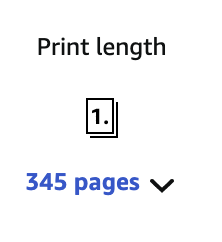
Not sure which value to enter as an estimate for KENPC? Since KDP does not show KENPC for books outside of Kindle Unlimited, anything you enter will be an estimate. One reasonable option is to use the “print length” estimate from the ebook’s Amazon page.
5. Repeat Steps 1-4 As Needed
Once you've followed steps 1-4 for the first book, you can check the Series Tab again. The alert at the bottom should have changed! Either your series will have appeared, or a later book in that same series will have the same issue.
But at this point you will have made progress! If you repeat these steps until all the books with page reads have a value for KENPC, your series tab will be complete!